
If you're being asked to enter your password, when using the app and you can't remember it, there's a simple way to reset it.
On your app tap Menu (bottom right of the screen) then tap Settings*
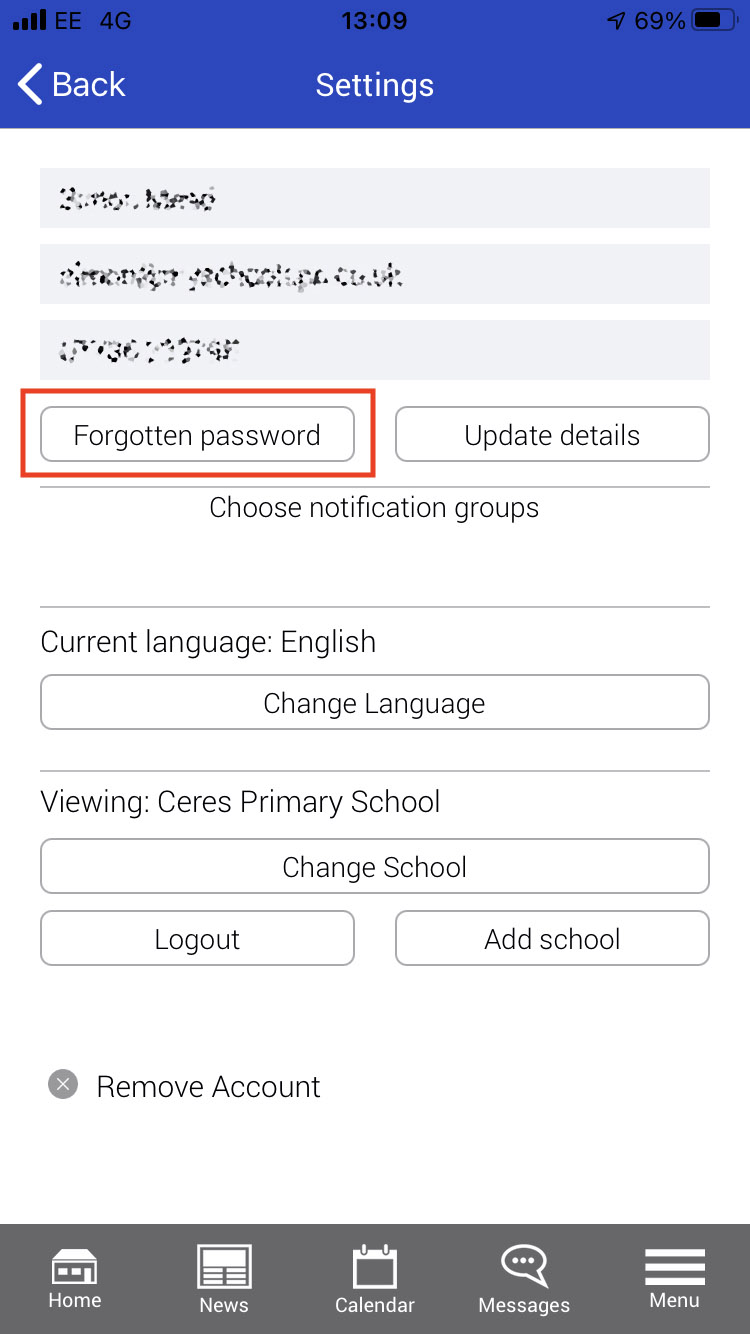
Tap the Forgotten password button and you'll be asked to enter your email address. Our system will send an email with a link to enable you to reset your password. Our email may get swallowed up as SPAM so please check that folder, if it doesn't reach your inbox
🤓 Tip – If your phone has touch or face ID, we'd recommend enabling that for mySchoolApp, to save yourself from password problems in the future.
* If you stuck at the sign in stage just tap the button there and follow the same process.
Comments
0 comments
Please sign in to leave a comment.